
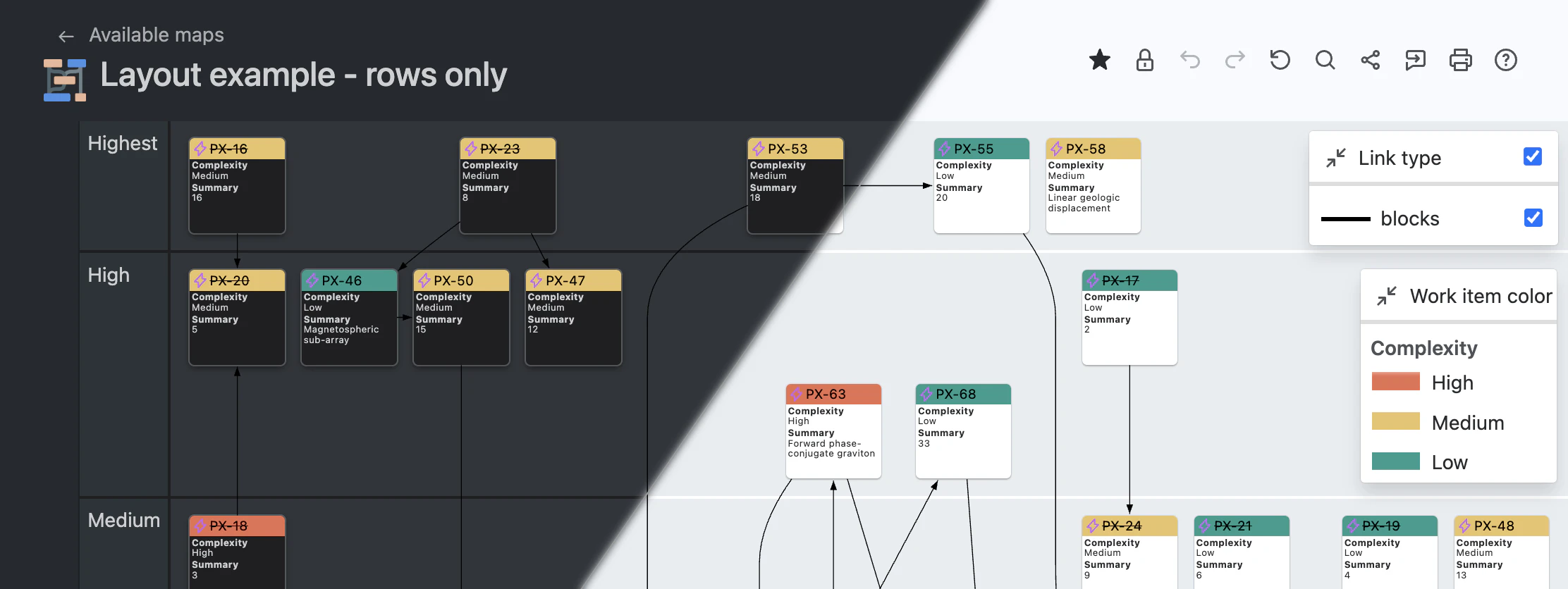
Set Jira to dark theme and open a Dependency Map. The map follows the theme of your Jira instance. There is no theme setting in the map, and nothing in the map configuration needs to change.
Switch Jira to dark theme
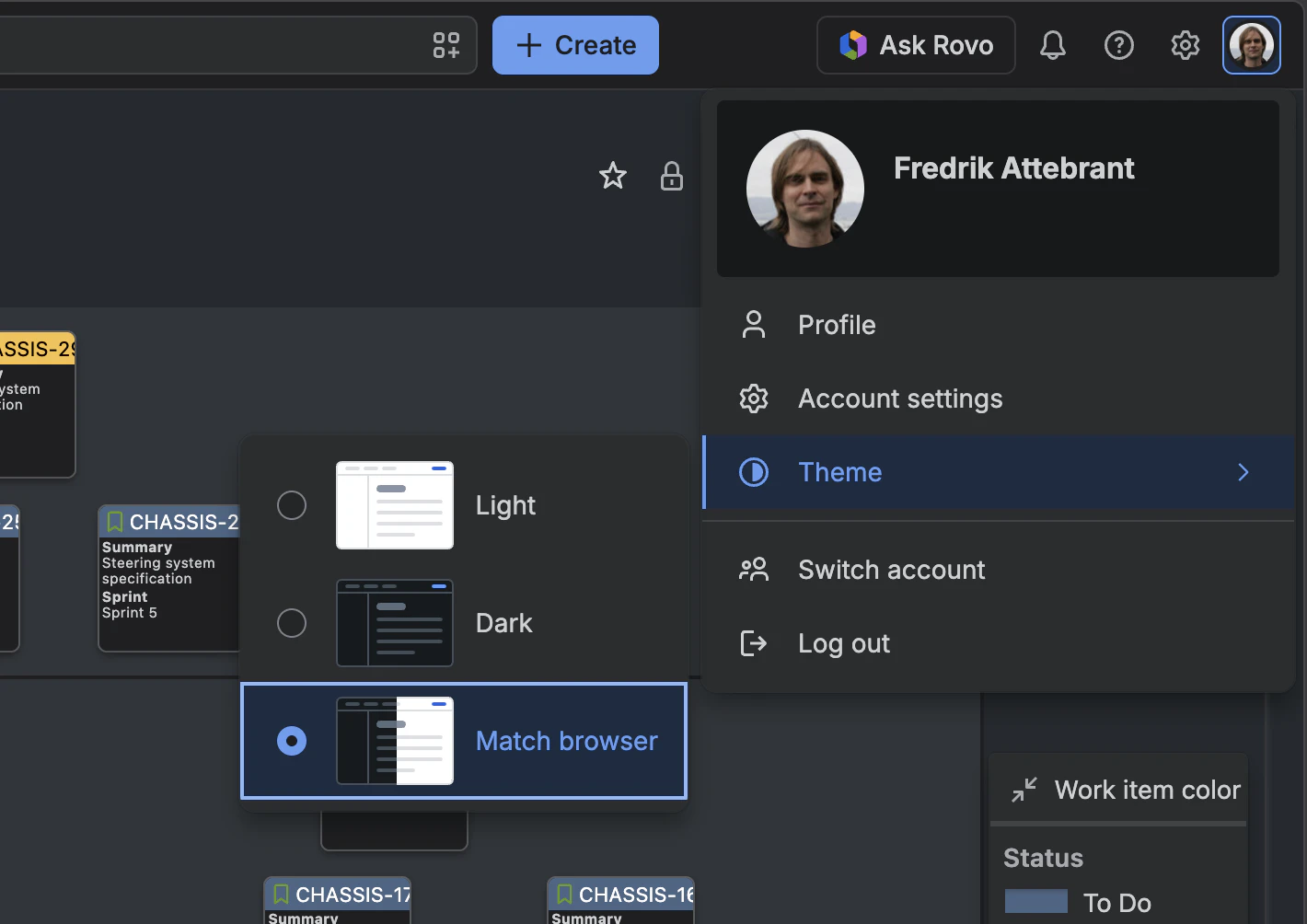
The theme is a personal setting. Each person chooses their own. Here’s how to select yours: Light, Dark, and Match browser.
From your profile
- Click your account icon in the top-right corner.
- Select Theme.
- Choose your theme.
Match browser follows your browser’s theme. On Jira Data Center, the theme choices are on your profile from Jira 10.3, and the third option is labeled “Match system”.
Then open any map.
What you get in Dependency Map
The map uses the theme Jira is already using. Light stays light. Dark stays dark. Switch Jira theme and the map follows.
Your field colors and link styles stay as you saved them. You do not pick a theme per map.
Jira chooses the theme. The map follows.
If the map stays light
Check the version before anything else.
- Jira Cloud: Dark theme has been supported since August, 2026. Open About Dependency Map from the toolbar to see the version you are running. See the Cloud release notes.
- Jira Data Center: Dark theme is supported since Dependency Map version 2.1.5 (9 September 2026) and later, on Jira 10 and Jira 11. See the Data Center release notes. You also need Jira 10.3 or later, which is when Jira itself added a dark theme. Jira 9 has no dark theme, so a map there stays light.
When you share a map
The theme follows the person who is looking, not the map. A teammate on the light theme sees the same map with a light background. If you paste a screenshot into a ticket or a how-to, say which theme you were using, or switch to light before you capture it.
Export to PDF
When you export a map to PDF, the theme is always light.
Wrap-up
Set Jira to Dark, or to Match browser if you want it to follow your device. Dependency Map uses that theme, with no setting of its own.
